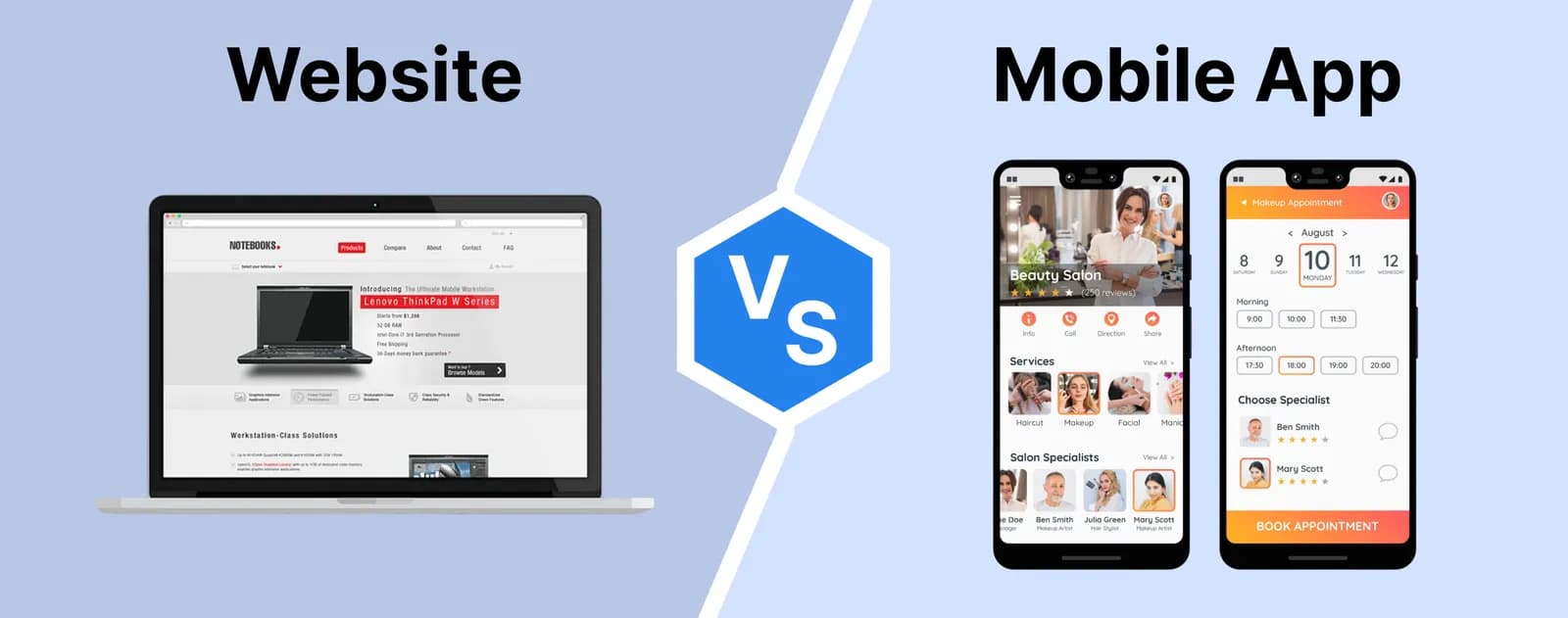
Sooner or later, most growing businesses face the same question: should we build a website or an app? A website is easy to find and share, but it can feel clumsy for daily use. A mobile app feels natural on a phone, but it means store listings, approvals, separate builds and convincing people to download it.
A progressive web app, or PWA, sits between the two. It is built with web technology, opens from a link, and can also be installed on a phone like an app and keep working when the internet drops. This post explains what a PWA is, how it compares with a native app and a normal website, where it falls short, and how one of our own products uses it on the floor of Surat’s weaving units.
What is a progressive web app?
A progressive web app is a website built to behave like an installed application. Three ingredients make the difference:
- A web app manifest, a small file that gives the app its name, icon and colours, and tells the phone it can be installed. Once added to the home screen, it opens full screen without the browser’s address bar.
- A service worker, a script that runs in the background of the browser. It can store the app’s files and data on the device, so screens load quickly and selected tasks keep working offline.
- HTTPS, which browsers require before they allow installation and service workers.
Where the device and browser support it, a PWA can also send push notifications. The word “progressive” refers to this layering: the app works as a plain website everywhere, and adds app-like abilities wherever the device allows them.
PWA vs native app vs website
It helps to compare the three on the things that matter to a business.
- Normal website: opens from a link or search, nothing to install, needs a connection, lives inside the browser. Ideal for being found and for occasional visits.
- Progressive web app: opens from a link and can be installed from the browser, can work offline for chosen tasks, updates the moment you publish, and is one codebase for Android, iPhone and desktop.
- Native app: downloaded from the Play Store or App Store, built for each platform (or with a cross-platform framework), has the fullest access to phone hardware and background processing, and every update goes through store review.
If you are still deciding between a website and an app in the first place, our short answer on whether to build a website or an app first is a good place to start.
Why businesses are choosing progressive web apps
One codebase. A single web application serves phones, tablets and computers. Your sales team uses it on Android, the owner checks it on an iPhone, and the office uses it on a desktop, all from the same build.
No store approval. You do not need developer accounts, store listings or a review before each release. That matters most for internal tools and B2B products, where users get the link from you, not from a store.
Instant updates. When you fix a bug or change a GST field, everyone gets it the next time they open the app. Nobody is stuck on an old version because they ignored an update prompt.
Low friction. A distributor or customer can try the app straight from a WhatsApp link, and install it only if they find it useful.
Offline work. For field staff, warehouses and factory floors where the connection comes and goes, the ability to keep entering data offline is often the deciding factor.
The limits you should know about
A PWA is not the right answer for everything.
- Device features. Browsers expose more of the phone than they used to, but native apps still have deeper and more consistent access to things like Bluetooth accessories, background tasks and some sensors. Support also varies between browsers.
- iPhone caveats. On iOS, installation happens through Safari’s Share menu rather than an automatic prompt, and some features, notifications among them, only work once the app has been added to the home screen. Behaviour has improved over the years but still lags Android in places, so test on real iPhones.
- Store discovery. If your customers search the Play Store or App Store to find services like yours, a PWA alone will not appear there.
- Heavy apps. Graphics-intensive games, advanced camera work or complex offline media are usually better served natively.
A real example: Loomiro on the weaving floor
Loomiro is software we build and operate for Surat’s waterjet and airjet weaving units, covering everything from beam loading to invoices and payments. It is a good illustration of when a PWA makes sense.
In the office, Loomiro opens in the browser with nothing to install. On the floor, a supervisor adds it to the phone’s home screen like an app; there is no separate Play Store or App Store app. The phone screens use big buttons and a number pad for one-handed taka entry.
Connectivity on a weaving floor is not something to rely on, so three jobs work without internet: taka entry, beam on loom and expenses. Entries stay safe on the device even if the browser closes or the phone restarts, and sync to the server by themselves when the connection returns, with no entry doubled. The top bar shows how many entries are waiting to sync, each phone gets its own block of taka numbers so two phones never clash, and the app warns you before logging out if anything has not synced. Invoices, reports and accounts still need a connection.
The lesson for any business is that “works offline” is a design decision, not a switch. You choose which tasks must survive a dropped connection, and then design carefully for syncing, duplicates and telling the user what is still pending.
When to choose a PWA
A PWA is a strong option when most of these are true:
- Your users get to you through a link, a QR code or WhatsApp rather than an app store search.
- The app is used regularly, but does not need deep hardware access.
- You want one product across phones and computers, and fast, frequent updates.
- Some tasks need to keep working on a patchy connection.
If you need heavy hardware integration, background processing or a presence in the app stores, a native or cross-platform app built by a mobile app development team is the better fit. Many businesses start with a PWA and add a store app later on the same backend.
Do progressive web apps work on iPhones?
Yes. Safari on iPhone can add a PWA to the home screen through the Share menu, after which it opens full screen and can work offline. Some capabilities, including notifications, depend on the app being installed and on the iOS version, and a few remain more limited than on Android, so always test the features you rely on on real iPhones.
If you are weighing a PWA against a native app, describe the main task your users need to do and where they will be when they do it. Our web development team can tell you which approach fits, and what working offline would really involve for your product.